GPU costs are typically the largest line item in any AI infrastructure budget. A single A100 instance on AWS costs over $30/hour on-demand. Run a few models across dev, staging, and production environments, and you're looking at five-figure monthly bills before you've served a single customer.
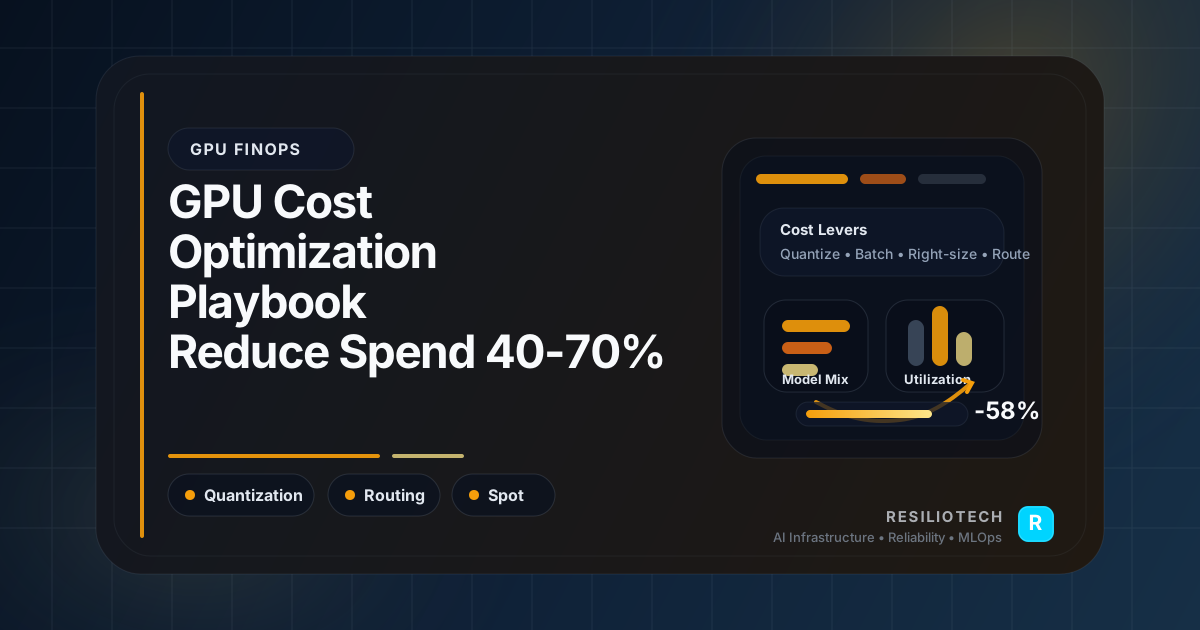
We've helped multiple teams slash their GPU spend by 30-50% using a combination of scheduling, spot instances, model optimization, and right-sizing. Here's the playbook.
The GPU Cost Problem
Most teams approach GPU infrastructure the same way they approach CPU — provision for peak, run 24/7, and hope finance doesn't notice.
The result:
- GPUs sitting idle 60-80% of the time during off-peak hours
- Oversized instances because "we might need the VRAM later"
- No separation between training and inference workloads
- On-demand pricing for workloads that could tolerate interruption
Strategy 1: Spot/Preemptible Instances for Training
Training workloads are inherently batch-oriented and can be checkpointed. This makes them perfect for spot instances, which run 60-90% cheaper than on-demand.
Setting Up Fault-Tolerant Training on Spot
# training/checkpointed_trainer.py
import torch
import signal
import sys
from pathlib import Path
class SpotAwareTrainer:
"""Training wrapper that handles spot instance interruptions."""
def __init__(self, model, checkpoint_dir: str, checkpoint_interval: int = 100):
self.model = model
self.checkpoint_dir = Path(checkpoint_dir)
self.checkpoint_interval = checkpoint_interval
self.current_epoch = 0
self.current_step = 0
# Handle SIGTERM (spot termination warning)
signal.signal(signal.SIGTERM, self._handle_termination)
# Resume from latest checkpoint if available
self._restore_checkpoint()
def _handle_termination(self, signum, frame):
"""Save checkpoint on spot termination (2 min warning)."""
print("⚠️ Spot termination notice received. Saving checkpoint...")
self._save_checkpoint(reason="spot_termination")
sys.exit(0)
def _save_checkpoint(self, reason: str = "scheduled"):
checkpoint = {
"epoch": self.current_epoch,
"step": self.current_step,
"model_state": self.model.state_dict(),
"optimizer_state": self.optimizer.state_dict(),
"reason": reason,
}
path = self.checkpoint_dir / f"checkpoint_e{self.current_epoch}_s{self.current_step}.pt"
torch.save(checkpoint, path)
print(f"Checkpoint saved: {path}")
def _restore_checkpoint(self):
checkpoints = sorted(self.checkpoint_dir.glob("checkpoint_*.pt"))
if checkpoints:
latest = checkpoints[-1]
checkpoint = torch.load(latest)
self.model.load_state_dict(checkpoint["model_state"])
self.current_epoch = checkpoint["epoch"]
self.current_step = checkpoint["step"]
print(f"Resumed from {latest} (epoch {self.current_epoch}, step {self.current_step})")
Kubernetes Node Pool for Spot GPUs
# k8s/spot-gpu-nodepool.yaml
apiVersion: karpenter.sh/v1alpha5
kind: Provisioner
metadata:
name: gpu-spot-training
spec:
requirements:
- key: karpenter.sh/capacity-type
operator: In
values: ["spot"]
- key: node.kubernetes.io/instance-type
operator: In
values:
- g5.xlarge # 1x A10G — good for fine-tuning
- g5.2xlarge # 1x A10G + more CPU/RAM
- p3.2xlarge # 1x V100 — good price/performance
- key: kubernetes.io/arch
operator: In
values: ["amd64"]
limits:
resources:
nvidia.com/gpu: "8" # max 8 GPUs across spot nodes
ttlSecondsAfterEmpty: 60
consolidation:
enabled: true
Cost impact: Training costs reduced by 60-70%.
Don't Use Spot for Inference — Spot instances can be terminated with 2 minutes' notice. For training, that's fine — you checkpoint and resume. For real-time inference, that means dropped requests. Keep inference on on-demand or reserved instances.
Strategy 2: GPU Time-Sharing and Scheduling
Most inference models don't need a full GPU. A text classification model might use 2GB of a 24GB A10G. Without GPU sharing, you're paying for 22GB of unused VRAM.
NVIDIA MPS for GPU Sharing
# k8s/gpu-sharing-config.yaml
apiVersion: v1
kind: ConfigMap
metadata:
name: nvidia-mps-config
data:
startup.sh: |
#!/bin/bash
# Enable Multi-Process Service for GPU sharing
export CUDA_MPS_PIPE_DIRECTORY=/tmp/nvidia-mps
export CUDA_MPS_LOG_DIRECTORY=/tmp/nvidia-log
nvidia-cuda-mps-control -d
echo "MPS daemon started"
---
# Deploy multiple small models on a single GPU
apiVersion: apps/v1
kind: Deployment
metadata:
name: small-model-a
spec:
template:
spec:
containers:
- name: model
resources:
limits:
nvidia.com/gpu-shared: "1" # using GPU sharing plugin
requests:
memory: "2Gi"
Time-Sliced Scheduling
For workloads that are bursty (high traffic during business hours, low at night), scale GPU replicas based on time:
# k8s/scheduled-scaling.yaml
apiVersion: autoscaling/v2
kind: HorizontalPodAutoscaler
metadata:
name: inference-hpa
spec:
scaleTargetRef:
apiVersion: apps/v1
kind: Deployment
name: recommendation-model
minReplicas: 1 # overnight minimum
maxReplicas: 10
behavior:
scaleDown:
stabilizationWindowSeconds: 600 # wait 10 min before scaling down
policies:
- type: Pods
value: 2
periodSeconds: 300
scaleUp:
stabilizationWindowSeconds: 60
policies:
- type: Pods
value: 4
periodSeconds: 60
metrics:
- type: Pods
pods:
metric:
name: inference_requests_per_second
target:
type: AverageValue
averageValue: "50"
Cost impact: 3-5 small models on one GPU instead of 3-5 separate GPU instances = 60-80% savings on serving costs.
Strategy 3: Model Optimization
Sometimes the cheapest GPU is the one you don't need. Model optimization techniques can reduce resource requirements dramatically.
Quantization: INT8 Without Quality Loss
# optimization/quantize_model.py
from optimum.onnxruntime import ORTQuantizer, AutoQuantizationConfig
from transformers import AutoTokenizer
def quantize_model(model_path: str, output_path: str):
"""Quantize a model from FP32 to INT8, reducing size by ~4x."""
quantizer = ORTQuantizer.from_pretrained(model_path)
qconfig = AutoQuantizationConfig.avx512_vnni(
is_static=False, # dynamic quantization — no calibration data needed
per_channel=True,
)
quantizer.quantize(
save_dir=output_path,
quantization_config=qconfig,
)
print(f"Quantized model saved to {output_path}")
print(f"Original size: {get_model_size(model_path):.1f} MB")
print(f"Quantized size: {get_model_size(output_path):.1f} MB")
Results we've seen across deployments:
| Technique | Size Reduction | Latency Improvement | Quality Impact |
|---|---|---|---|
| INT8 Dynamic Quantization | 3-4x smaller | 2-3x faster | < 1% accuracy loss |
| FP16 Mixed Precision | 2x smaller | 1.5-2x faster | Negligible |
| Knowledge Distillation | 5-10x smaller | 3-5x faster | 1-3% accuracy loss |
| ONNX Runtime | Same size | 1.5-2x faster | None |
Batching: Amortize GPU Overhead
Dynamic batching collects multiple inference requests and processes them together:
# serving/dynamic_batcher.py
import asyncio
from collections import deque
from dataclasses import dataclass, field
from typing import Any
@dataclass
class InferenceRequest:
input_data: Any
future: asyncio.Future = field(default_factory=lambda: asyncio.get_event_loop().create_future())
class DynamicBatcher:
"""Collect requests and batch them for efficient GPU utilization."""
def __init__(self, model, max_batch_size: int = 32, max_wait_ms: float = 50):
self.model = model
self.max_batch_size = max_batch_size
self.max_wait_ms = max_wait_ms
self.queue: deque[InferenceRequest] = deque()
self._running = True
async def predict(self, input_data):
"""Submit a single prediction request."""
request = InferenceRequest(input_data=input_data)
self.queue.append(request)
# If batch is full, process immediately
if len(self.queue) >= self.max_batch_size:
await self._process_batch()
return await request.future
async def _process_batch(self):
batch = []
while self.queue and len(batch) < self.max_batch_size:
batch.append(self.queue.popleft())
if not batch:
return
# Process entire batch in one GPU call
inputs = [r.input_data for r in batch]
results = self.model.batch_predict(inputs)
for request, result in zip(batch, results):
request.future.set_result(result)
Cost impact: Batching increases throughput by 3-8x per GPU, meaning fewer instances needed.
Strategy 4: Right-Sizing GPU Instances
Not every model needs an A100. Here's a decision matrix:
| Workload | Recommended GPU | VRAM | Monthly Cost (approx) |
|---|---|---|---|
| Small model inference (< 1B params) | T4 | 16 GB | $250-400 |
| Medium model inference (1-7B params) | A10G | 24 GB | $500-800 |
| Large model inference (7-13B params) | A100 40GB | 40 GB | $1,500-2,500 |
| Fine-tuning (< 7B params) | A10G | 24 GB | $500-800 |
| Pre-training / heavy fine-tuning | A100 80GB | 80 GB | $2,500-4,000 |
Profiling Before Provisioning
# Profile actual GPU utilization before right-sizing
nvidia-smi dmon -s um -d 5 -o TD | tee gpu_profile.log
# Check peak VRAM usage
nvidia-smi --query-gpu=memory.used,memory.total,utilization.gpu \
--format=csv -l 5
If your model peaks at 8GB VRAM and averages 30% GPU utilization, you don't need an A100. Drop to a T4 and save 80%.
Results Summary
Combining all four strategies on a typical AI startup's infrastructure:
| Strategy | Savings | Effort |
|---|---|---|
| Spot instances for training | 60-70% on training | Medium |
| GPU sharing for small models | 60-80% on serving | Medium |
| Model quantization (INT8) | 50-75% on serving | Low |
| Right-sizing instances | 30-50% across all | Low |
| Combined | 40-60% total GPU spend | — |
The 40% in our title is actually conservative. Teams that implement all four strategies often see 50%+ reductions.
Where to Start
- Profile first: Run
nvidia-smimonitoring for a week. You'll be surprised how much GPU time is wasted. - Spot for training: This is usually the quickest win — implement checkpointing and switch training nodes to spot.
- Quantize serving models: INT8 quantization is often a one-line change with negligible quality impact.
- Right-size: Match GPU type to actual VRAM and compute needs.
Don't try to implement everything at once. Pick the strategy that matches your biggest cost center and start there.
Struggling with GPU costs? We help teams optimize their AI infrastructure spend without sacrificing model performance. Book a free audit and we'll identify your top cost-saving opportunities.